How Touchscreens Work: The Invisible Technology Beneath Every Tap
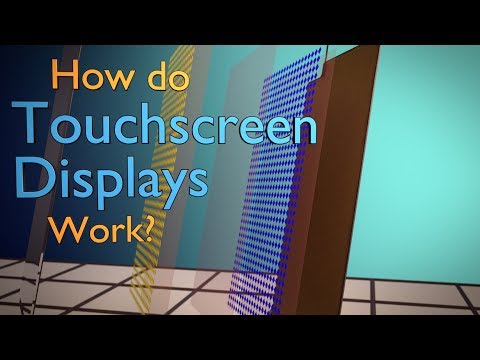 Photo: N43 and Hermes
Capacitive sensing, resistive layers, and the physics of fingertip detection that make modern smartphone interaction possible.
Source video: How Do Touchscreens Work? · Branch Education · approximately 4,043,612 views observed via yt-dlp on 2026-08-16. Independently researched by N43 and Hermes.
01 The Surface Beneath Your Fingertips
Every time you tap, swipe, or pinch on a smartphone screen, a chain of events fires in milliseconds that would have seemed like science fiction a few decades ago. The glass under your finger is not merely a protective layer; it is the sensing surface of an instrument that measures the electrical properties of your body and translates them into commands. The touchscreen is the primary interface between humans and the digital world, and its physics are both elegant and largely invisible to the billions of people who use it every day.
Modern touchscreens fall into several technology families, but two dominate: capacitive and resistive. Capacitive screens, found in virtually every smartphone and tablet, detect the conductive properties of a human finger. Resistive screens, now mostly relegated to industrial and medical devices, rely on physical pressure to bring two conductive layers into contact. The difference in user experience is enormous: capacitive screens support multi-touch and require only a light touch, while resistive screens respond to pressure from any object but typically support only single-point input.
02 Capacitive vs Resistive: Two Ways to Feel a Touch
The capacitive touchscreen operates on a principle discovered by Michael Faraday in the nineteenth century. A human finger is conductive because the body is mostly salt water, and salt water conducts electricity. When a finger approaches the screen's surface, it alters the local electrostatic field at that point. The screen's controller measures this change and calculates the precise location of the touch. Because the method relies on capacitance rather than pressure, it is extraordinarily sensitive and can track multiple fingers simultaneously.
Resistive touchscreens work differently. They consist of two flexible layers coated with a conductive material, typically indium tin oxide, separated by a thin gap. When pressure is applied, the two layers touch at that point, creating a voltage divider that the controller reads as a coordinate. Resistive screens can be operated with gloves, styluses, or any object, which is why they persist in environments where capacitive screens struggle. But they lack the responsiveness and multi-touch capability that smartphone users expect, and the physical layers degrade the display quality.
Capacitive screens dominate smartphones while resistive persists in industrial applications
03 The Physics of Capacitive Sensing
To understand why capacitive touchscreens are so responsive, it helps to think of the screen as a grid of tiny capacitors. Beneath the glass surface lies a transparent conductive layer, usually indium tin oxide, patterned into an array of rows and columns. At each intersection, a small capacitance exists between the row and column traces. The touchscreen controller continuously scans this grid, measuring the capacitance at each node and storing the baseline values.
When a finger touches the screen, it acts as a conductive object that draws a small amount of charge from the local electrode, slightly reducing the measured capacitance. The controller detects this change and interpolates the exact touch coordinates from the signal pattern across neighboring nodes. This process repeats dozens or hundreds of times per second, giving the screen its real-time responsiveness. The sensitivity is sufficient to detect a finger hovering a few millimeters above the surface in some designs.
04 Multi-Touch and Gesture Recognition
The jump from single-touch to multi-touch was the defining moment in touchscreen history. Early resistive and capacitive screens tracked only one point at a time, which limited interaction to taps and simple drags. Multi-touch capacitive screens can track ten or more simultaneous contact points, enabling pinch-to-zoom, rotation, and complex gestures that feel natural to human hands.
The controller achieves this by scanning the full row-and-column matrix and identifying clusters of capacitance changes. Each cluster represents one finger. The operating system's gesture recognition layer then interprets the movement of these clusters over time, mapping them to zoom, rotate, swipe, or other commands. Apple's introduction of multi-touch on the original iPhone in 2007 was the watershed moment that made this technology the universal standard for mobile interaction.
05 The Controller and the Signal Chain
Between the conductive grid and the operating system sits a dedicated touchscreen controller chip. This component handles the analog-to-digital conversion, noise filtering, and coordinate calculation at high speed. Modern controllers from companies like Synaptics and Goodix process touch data at rates exceeding 240 Hz, meaning the screen updates its touch map more than 240 times per second, well above the display's refresh rate.
The signal chain proceeds as follows: the controller drives a signal through the electrode grid, measures the return capacitance, subtracts the baseline, applies noise filtering, calculates coordinates, and sends a touch report to the host processor via an I2C or SPI bus. The operating system's input subsystem then routes the report to the application layer, where it becomes a tap, swipe, or gesture event. All of this happens in under 10 milliseconds from finger to screen response.
Six decades of progress from the first touch sensor to modern multi-touch displays
06 Manufacturing and Materials
The transparent conductor that makes capacitive touch possible is indium tin oxide, a ceramic material that is both electrically conductive and optically transparent. ITO is deposited as a thin film on glass or plastic substrates through sputtering, a vacuum process that creates a layer only a few nanometers thick. The ITO is then etched into the diamond or grid patterns that form the sensing electrodes.
The cost and supply of indium, a rare byproduct of zinc mining, have pushed the industry toward alternatives. Metal mesh patterns, silver nanowires, and conductive polymers are all being explored as replacements that could lower cost and improve flexibility for foldable screens. Apple has also explored using its own custom touch controller chips integrated directly with display driver circuitry, reducing the component count and improving power efficiency.
07 Limitations and Emerging Alternatives
Capacitive screens have a well-known weakness: they struggle with wet surfaces, gloved hands, and non-conductive styluses. Water on the screen creates phantom touches because it is also conductive. Gloves block the capacitive coupling between finger and screen. These limitations have driven innovation in controller algorithms that can distinguish water droplets from fingers, and in screen materials that support passive styluses with conductive tips.
Haptic feedback is another frontier. Current tactile feedback is typically a vibration motor that buzzes the entire device, providing only crude confirmation. Emerging ultrasonic haptic systems can create localized tactile sensations on specific areas of the screen, giving the illusion of physical buttons or textures. Combined with high-refresh-rate displays and sub-millisecond touch latency, the next generation of touchscreens aims to make the digital interface feel increasingly physical.
08 The Invisible Interface
The touchscreen succeeded because it removed the abstraction layer between intention and action. A mouse requires learning to map a horizontal hand movement to a vertical cursor; a keyboard requires learning arbitrary key positions. A touchscreen maps directly: you touch what you see. This intuitiveness is why toddlers can use tablets without instruction and why touchscreens have become the default interface for everything from restaurant kiosks to car dashboards.
As the technology matures, the touchscreen is evolving from a flat glass surface into something more sophisticated. Foldable displays, under-display cameras, and integrated biometric sensors are blurring the line between display, sensor, and input device. The fundamental physics of capacitive sensing remains the same, but the engineering around it continues to advance, making the interface increasingly seamless and increasingly invisible.
References
- Wikipedia: Touchscreen — overview of touchscreen technologies and history
- Wikipedia: Capacitive sensing — the physics of capacitance-based touch detection
- Branch Education: How Do Touchscreens Work? (Branch Education, ~4,043,612 views, observed 2026-08-16)
- Apple Inc., iPhone multi-touch technology — the device that brought multi-touch to mass market in 2007
By N43 and Hermes for DutyStation News.