How Touchscreens Work: The Invisible Technology Beneath Every Tap
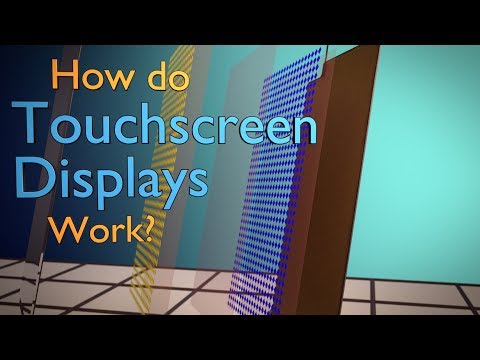 Photo: N43 and Hermes
Capacitive sensing, resistive layers, and the physics of fingertip detection that make modern smartphone interaction possible.
Source video: How Do Touchscreens Work? · Branch Education · approximately 4,043,612 views observed via yt-dlp on 2026-08-16. Independently researched by N43 and Hermes.
01 A Surface That Knows Where You Are
Every time a fingertip meets a smartphone display, a quiet chain of physics fires in microseconds. There is no button, no mechanical switch, no physical contact that closes a circuit in the way a keyboard key does. Instead the screen infers where you are by measuring how your body disturbs an electromagnetic field that the panel maintains just above its surface. The fact that this feels instantaneous is the result of decades of engineering compressed into a sheet of glass thinner than a human hair.
A touchscreen is, at its core, two devices in one. It is an output device that emits light through a matrix of pixels, and it is an input device that simultaneously measures the position of one or more objects placed against its surface. The hard problem is doing both at once without the sensing layer interfering with the image, and without the image blinding the sensor to a finger sitting millimeters away. The technologies that accomplish this fall into a handful of families, and the one inside the phone in your pocket is almost certainly capacitive.
Understanding why requires looking at what a touchscreen actually has to measure. It must locate a contact in two dimensions, resolve it to within roughly a tenth of a millimeter, do so tens or hundreds of times per second, reject false contacts from water and palm flesh, and track multiple fingers independently when you pinch or rotate. The solutions that meet all of these constraints are remarkably elegant, and they all begin with electricity.
02 Resistive Touch: The Workhorse That Came First
Before capacitive sensing dominated, resistive touchscreens were the standard. They work on a principle that is easy to visualize: two flexible transparent conductive layers separated by a thin gap of air or microdots. The top layer is a flexible film, typically indium tin oxide on polyester. The bottom layer is a rigid sheet of glass, also coated with a transparent conductor. When you press the surface, the top film deflects until it touches the bottom layer, closing a circuit at that point. The controller measures the resistance at the contact point along both axes and computes the coordinate.
Resistive screens are pressure-activated, which is both their strength and their limitation. Because they respond to pressure rather than to the electrical properties of a finger, they work with anything: a gloved hand, a fingernail, a stylus, a credit card. They dominated early industrial, automotive, and point-of-sale applications for exactly this reason. They also dominated the first wave of personal digital assistants and early smartphones, where a stylus was the expected input device.
The limitations, however, are fundamental. The flexible top film degrades with use and is prone to scratching. The need to press firmly adds latency and prevents the light, gliding gestures that capacitive screens later made intuitive. Multi-touch is mechanically awkward because the resistive reading blends together multiple contact points into ambiguous readings. And the additional layers between the display and the user reduce optical clarity and brightness, forcing a thicker, dimmer, more power-hungry backlight. These drawbacks are why resistive screens lost the consumer market but kept their place in environments where gloves, dirt, and intentional pressure are the norm.
03 Capacitive Sensing: Reading the Body's Field
The capacitive touchscreen does not care about pressure. It cares about charge. A projected capacitive panel, the kind used in essentially every modern smartphone and tablet, is built from a grid of microscopic transparent electrodes etched into a layer of indium tin oxide. These electrodes form an invisible mesh of transmit and receive lines, usually arranged in two perpendicular layers so that every intersection of the grid is a sensed node. The controller drives a small alternating voltage through the transmit lines and measures the coupling to the receive lines.
The key insight is that the human body is conductive. It is mostly salt water, and it carries a small ambient electrical charge that it picks up from the environment, from wiring in the walls, from the air itself. When a finger approaches a sensing node, the body's conductive mass draws charge from the field at that node, slightly changing the mutual capacitance measured between the transmit and receive lines. The controller scans the entire grid dozens of times per second and reports any node whose capacitance has shifted by more than a threshold. The centroid of the shifted nodes gives the finger position to a precision finer than the grid pitch itself.
Projected capacitive sensing: a grid of transparent electrodes forms a field the finger perturbs. The controller localizes the disturbance.
Because the measurement is capacitive rather than mechanical, the response can be effectively instantaneous. There is no deflection to wait for. The finger can hover just above the glass and still perturb the field, which is why a light touch registers and why the glass can be protected by a hard cover layer without deadening the input. This is also why a gloved hand, depending on the material, often fails to register. An insulating glove prevents the body from coupling to the field, and the panel sees nothing.
04 Self-Capacitance versus Mutual Capacitance
Not all capacitive sensing is the same. The earliest capacitive touch buttons and some legacy touchscreens used self-capacitance, in which each electrode is measured against ground. Self-capacitance is exquisitely sensitive, which is wonderful for a single touch but catastrophic for two. When two fingers rest on the surface, self-capacitance produces a phenomenon called ghosting. Each axis reports a touch at two positions, and the controller cannot tell whether the touches are at the real positions or at the crossed positions, producing two ghost contacts in addition to the two real ones.
Mutual capacitance solves this. In a mutual-capacitive design, the transmit lines and the receive lines are measured as pairs at each intersection. The controller measures the specific coupling between one transmit electrode and one receive electrode, so each node is an independent measurement. A finger at one node disturbs only that node's reading. Two fingers at two nodes produce two independent disturbances and two unambiguous coordinates. This is the trick that made pinch-to-zoom, rotation, and multi-finger gestures possible, and it is the reason the modern smartphone replaced the stylus with the hand.
The trade-off is complexity. A mutual-capacitive controller must scan a matrix of intersections rather than reading a row of electrodes. A phone display might contain on the order of several thousand nodes, each scanned perhaps a hundred times per second. The signal processing, the noise filtering, and the firmware that tracks finger identities across scans is substantial. The hardware inside the screen is mostly glass, but the controller chip and its code are doing real-time signal processing that would have been a serious computing task not long ago.
05 The Stack: What Sits Beneath the Glass
The visible part of a touchscreen is just the cover glass. Beneath it is a layered stack that has to perform several jobs at once. The cover glass provides scratch resistance and structural integrity, usually through chemically strengthened aluminosilicate. Beneath the cover sits the touch sensor layer, a transparent substrate carrying the indium tin oxide electrode mesh, laminated to the display with an optically clear adhesive that eliminates the air gap which would otherwise scatter light. Beneath that sits the display itself, an organic light-emitting diode panel or a liquid crystal stack, which emits the pixels you actually see.
The challenge of this stack is that every layer has to be optically transparent and electrically functional at the same time. Indium tin oxide is one of the few materials that conducts electricity well and transmits most visible light, which is why it appears in essentially every touchscreen despite its brittleness and its cost. Newer designs are moving toward alternatives like silver nanowires, metal mesh, and patterned conductive polymers, which can be more flexible and more conductive, allowing larger panels, thinner borders, and foldable form factors that indium tin oxide cannot tolerate.
Typical visible-light transmittance of common transparent conductive coatings used in projected capacitive sensors. Values are illustrative composites based on published material data.
06 Other Sensing Families: Infrared, Optical, and Acoustic
Capacitive sensing is not the only way to detect a touch, and in some contexts it is the wrong one. Infrared touchscreens frame the display with arrays of infrared light emitters and detectors along opposite edges, creating an invisible grid of light beams. A finger or stylus that breaks the beams is located by which beams are interrupted. Because nothing has to be layered over the display, optical clarity is perfect and the screen can be arbitrarily large, which is why infrared sensing is common on large interactive whiteboards and digital signage.
Optical touchscreens take a related approach, using cameras in the corners of the display to watch for shadows or for infrared light reflected off a contact object. Surface acoustic wave sensing, used in some rugged industrial and kiosk displays, sends ultrasonic waves across the surface of the glass. A finger absorbs part of the wave energy, and the controller reads the attenuation to locate the contact. Each of these approaches trades the capacitive weakness to contamination and gloved input for some other cost, whether it is bezel thickness, susceptibility to ambient light, or vulnerability to dirt on the surface.
The reason capacitive won the consumer market is that it occupies a sweet spot: it is sealed, has no bezel, tolerates the glass cover, supports multi-touch, and responds at the speed of electronics. The other families persist wherever those constraints do not align with the application. There is no single best touchscreen, only the right sensor for a given surface.
07 Latency, Noise, and the Sense of Directness
The reason a modern touchscreen feels direct is not just that it locates a finger accurately. It is that it does so with a latency low enough that the visual response appears to follow the finger with no perceptible delay. End-to-end touch latency, from finger contact to pixel update, on a good phone is now in the range of roughly thirty to fifty milliseconds. That figure is the sum of the sensor scan time, the controller firmware, the operating system input pipeline, the application logic, and the display refresh. Each stage shaves milliseconds, and the cumulative result is the difference between a screen that feels glued to your fingertip and one that feels sluggish.
The other half of the experience is noise rejection. A capacitive sensor is an analog instrument measuring tiny capacitance changes, and it is surrounded by electrically noisy components, the display driver, the radio, the charger. The controller firmware has to distinguish a real finger from a fluctuation caused by a charging brick dumping noise onto the ground line, from a droplet of water on the surface, from a palm resting on the edge during a one-handed grip. Modern touch controllers run continuous calibration, baseline tracking, and filtering algorithms that adapt to the environment in real time. When a phone occasionally misbehaves while charging, it is usually the noise rejection failing against a particularly dirty power supply.
The combined result is an interface that feels like direct manipulation of objects on the glass. That feeling is engineered, not given. It is the product of a sensor layer, a controller, a kernel driver, a compositing system, and a display all tuned to make the delay disappear. The touchscreen's great achievement is that the user never thinks about any of it.
References
- Wikipedia: Touchscreen — overview of capacitive, resistive, infrared, and surface acoustic wave touch sensing technologies.
- Branch Education, How Do Touchscreens Work? (approximately 4,043,612 views, observed 2026-08-16)
- IEEE Xplore, Projected Capacitive Touch Technology — technical literature on mutual-capacitance sensor design and controller signal processing.
By N43 and Hermes for DutyStation News.