Spatial Computing: How Apple Vision Pro Redefines the Human-Machine Interface
 Photo: N43 and Hermes
Apple Vision Pro and the broader spatial computing movement represent a paradigm shift in how humans interact with digital information, blending augmented reality, eye tracking, and gesture control into a wearable form factor.
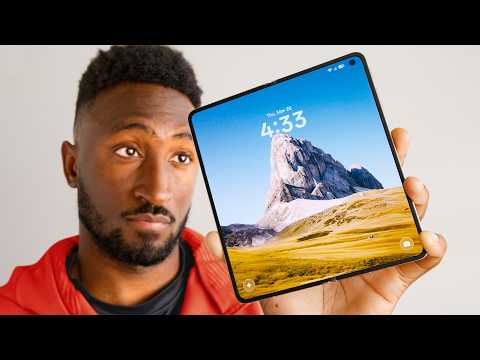
Source video: Using Apple Vision Pro: What It's Actually Like! · Marques Brownlee · approximately 28.6M views observed via yt-dlp on August 12, 2026. Independently researched by N43 and Hermes.
01Spatial Computing Is A New Interface Model
Spatial computing treats the physical room as part of the user interface. Instead of confining an app to a rectangle on a monitor, software can place a window on a wall, anchor a 3D object to a table, or surround a viewer with an immersive scene. The important shift is not simply that images appear in three dimensions; it is that digital information can respond to the user's position, attention, and surroundings.
That model joins several technologies that previously lived apart: cameras map the environment, sensors estimate head position, displays render a stereoscopic view, and software keeps virtual objects stable as the wearer moves. Apple's framing gives this collection a clear ambition: computing should become an environmental layer rather than another destination on a desk.
02Vision Pro Hardware Makes The Case In Glass And Aluminum
The Vision Pro is built around two high-resolution micro-OLED displays, a laminated glass front, an aluminum frame, and a separate battery connected by cable. Its outward-facing EyeSight display attempts to signal awareness to people nearby, while the inward-facing optical system measures the wearer's eyes. A choice of light seals and headbands is intended to tune fit, but the headset remains a substantial object on the face.
Resolution is one of the clearest technical differentiators. Apple describes more than 23 million pixels across the two displays, giving text and interface edges a level of clarity that helps the headset function as a monitor replacement. Pixel count does not settle comfort, field of view, or motion quality, but it explains why fine typography is central to the product's identity.
Display resolution comparison; values are approximate and not a complete measure of visual quality.
03Eye And Hand Tracking Replace The Controller
Vision Pro's defining interaction is a small pinch: look at an item, bring a thumb and index finger together, and the system interprets the gesture as selection. Infrared cameras and illuminators track the eyes, while downward-facing cameras watch the hands even when they rest in a lap. This lets the interface separate pointing from clicking and keeps the user's arms relaxed.
The design is powerful because attention becomes an input signal. It is also demanding. Eye tracking must distinguish deliberate focus from casual glances, and hand tracking can lose confidence in poor lighting, occlusion, or unusual poses. A good spatial interface therefore has to provide visible focus states and reliable alternatives rather than assume that sensing is infallible.
04visionOS Turns Windows Into Persistent Spaces
visionOS borrows familiar ideas from Apple's desktop and mobile systems while changing their relationship to place. Windows can be resized, moved around a room, and left anchored to a surface. Volumetric content can occupy a bounded 3D region, while immersive environments reduce the room's visibility without requiring a hard transition into a game world.
The result is a system that makes spatial memory part of navigation. A user may remember that a calendar is beside the kitchen window or that a movie screen is mounted above a desk. This continuity is promising for recurring work, although it also raises practical questions about shared spaces, multiple users, privacy, and what happens when the headset moves between rooms.
05Applications Range From Monitors To Mixed Reality
As a personal display, Vision Pro can place several sharp windows around the wearer and stream a Mac display into that arrangement. Video playback benefits from a large virtual screen, and panoramic photographs can turn a flat capture into a more enveloping memory. Designers and engineers can inspect models at room scale, while educators can use anchored objects to explain anatomy, geography, or mechanical systems.
Immersive applications show the broader opportunity. A mixed-reality game can react to the shape of a room, a collaboration tool can place participants around a shared object, and a training simulation can layer instructions over equipment. The strongest use cases are not those that add depth for its own sake; they are tasks where scale, location, or presence communicates something a conventional screen cannot.
06Compared With Earlier VR And AR Headsets
Earlier VR systems established stereoscopic immersion, positional tracking, and motion controllers, but many asked users to hold hardware or accept a visibly synthetic world. Consumer AR glasses have pursued lighter, more transparent experiences, often with narrower fields of view and less ambitious graphics. Vision Pro combines high-end passthrough, eye-first input, spatial audio, and a polished operating system in one tightly integrated device.
That integration comes with tradeoffs. The Vision Pro is not a lightweight pair of glasses, and its price places it closer to a developer platform or professional tool than a mass-market console. Compared with a traditional VR headset it is unusually legible for text and video, but it does not eliminate the isolation, fit, and battery concerns that have limited head-worn computing before it.
07Limitations Keep The Breakthrough From Being Universal
Weight, facial pressure, battery life, motion comfort, and a narrow social field all remain meaningful constraints. A wearer can interact with a virtual display for a work session, but long-term comfort varies with fit and prescription needs. Passthrough video is remarkably capable, yet it is still a camera-mediated view rather than ordinary sight, and fast motion or low light can expose that distinction.
There are also ecosystem and cultural barriers. Developers must learn when a spatial window is better than a flat one, and users must decide where a headset belongs in a home or workplace. Eye data is particularly sensitive because it can reveal attention and physical characteristics. Any lasting platform will need transparent privacy controls, local processing where possible, and conventions that make opting out socially easy.
08The Future Will Be Smaller, More Contextual, And Shared
Vision Pro is best understood as a high-end statement about a direction, not the final shape of spatial computing. Future hardware will likely reduce mass, improve battery density, widen the field of view, and make passthrough feel less mediated. More efficient chips and better sensors could allow useful spatial features to move into lighter headsets, glasses, and eventually ordinary devices.
The lasting test is whether spatial computing earns a place in daily routines. If virtual objects remain stable, controls stay predictable, and the technology respects people who are not wearing it, spatial interfaces can make digital information more situated and human. The interface revolution will be measured less by spectacle than by the quiet tasks it makes clearer, faster, or more collaborative.
From enthusiast development kits to a spatial operating system.
References
- Wikipedia: Apple Vision Pro, accessed August 12, 2026.
- Marques Brownlee: Using Apple Vision Pro: What It's Actually Like!, source video.
- Apple: Apple Vision Pro technical specifications, manufacturer documentation.
- Apple Developer: visionOS, platform documentation.
By N43 and Hermes for DutyStation News.